Skip to content

Dictate anywhere. Capture every meeting.

Nothing leaves your PC.

Neato Echo turns your voice into text in any app, records the meetings you're in, and writes the summary, all on your own Windows machine. No account. No cloud. No monthly fee.

Windows 10 / 11, 64-bit Works offline after setup Open source, MIT

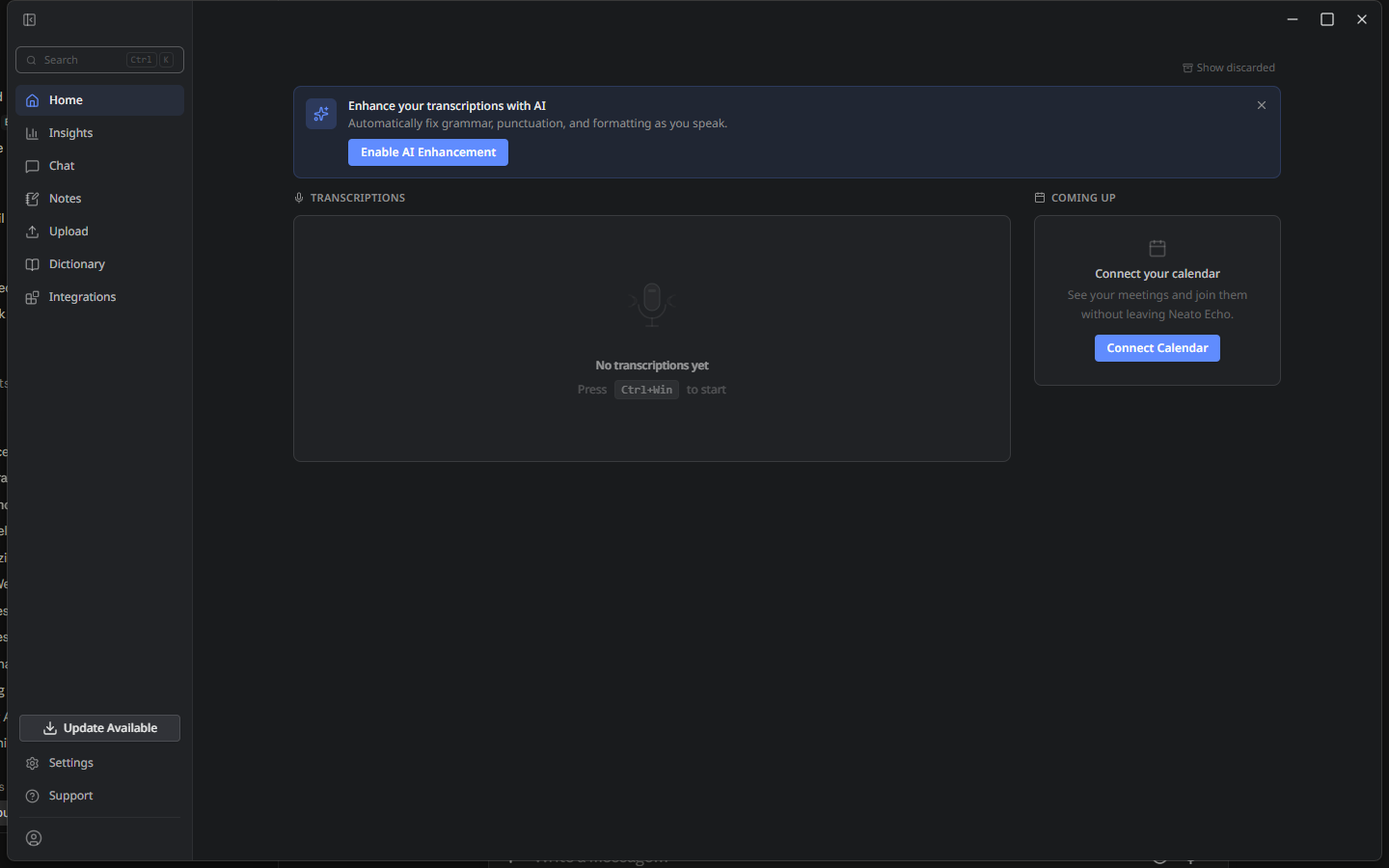
Neato Echo's main window showing today's dictations and notes
Screenshot coming soon

Press a key. Talk. Your words land where the cursor is.

Hold the dictation key, Ctrl + Win out of the box, in any app, from email to a code editor to a CRM field, and speak. Echo transcribes on your PC with NVIDIA's Parakeet model and pastes the text the moment you let go.

  • On-device speech to text No round trip to a server, so short dictations come back in under a second on an ordinary laptop CPU.
  • Your vocabulary, kept A custom dictionary teaches Echo the names, products, and jargon you use.
  • Cleanup only when you want it AI cleanup is off by default for speed. Turn it on for polished prose from a local language model.
Echo's dictation pill listening, with text appearing in another app
Screenshot coming soon

A meeting starts. Echo notices and offers to take notes.

Echo listens for meeting audio and watches for Zoom, Microsoft Teams, and Webex. When a call begins, a small card asks whether to take notes. One click, and it records both sides, the other people through your speakers and you through your mic, with a live transcript and speaker labels.

  • Browser meetings too Google Meet and other web calls are caught by the audio detector.
  • Stops on its own When the call ends and the room goes quiet, the recording closes and the note is saved.
  • Calendar-aware Connect Google or Microsoft calendars and the note takes the meeting's title.
The meeting-detected card offering to take notes, and a live transcript
Screenshot coming soon

The call ends. Pick a summary. Done.

As soon as a recording stops, Echo asks which kind of summary you want. Five are built in, each with its own structure, and every one is editable. Add your own for the meetings only your team has.

Team Meeting Interview Sales Call One-on-one Customer Support + Your own
  • Grounded, not invented Presets only use what was said. Missing details are flagged, never filled in.
  • Runs locally Summaries come from a language model on your PC, downloaded once during setup.
The summary picker listing the five built-in presets
Screenshot coming soon

What stays on your PC. What leaves it.

Privacy here is not a policy page. It is how the software is built. Here is the ledger.

Stays on your PC

Your voice
Audio is processed by models running on your machine and is never uploaded.
Transcripts and notes
Saved in a local database in your Windows profile. Export or delete them whenever you like.
Summaries
Generated by a local language model. The prompt and the result never leave the PC.
Your identity
There is no account to create and no sign-in. Echo does not know who you are.

Leaves your PC

Nothing, by default
Echo makes no calls to Neato Ventures. There is no telemetry and no usage reporting.
Model downloads, once
The speech and language models are fetched from their public sources during setup. After that, Echo works offline.
Only if you choose it
You can plug in your own cloud provider key for transcription or summaries. That is your call, off by default, and clearly labeled in Settings.

Install in four steps

The current build is unsigned, so Windows shows one extra confirmation the first time.

  1. Download the installer

    Grab the latest build with the button above. It is a standard Windows setup file.

  2. Allow it through SmartScreen

    If Windows says "protected your PC", choose More info, then Run anyway. This goes away once the build is code-signed.

  3. Let it fetch the models

    First run downloads the speech model (about 700 MB) and, if you enable summaries, a language model. Grab a coffee.

  4. Hold Ctrl+Win and talk

    Change the key in Settings if you prefer another. Meeting detection is on from the start.

Windows 10 version 2004 or later, or Windows 11 64-bit PC About 2 GB free for models No GPU required

Lifetime plan · coming

Pay once. Because there is nothing to rent.

Cloud dictation tools charge every month to run your audio on their servers. Echo runs on yours, so a one-time lifetime license is the plan we are building toward. Pricing is not final yet.

Tell me when it's ready

Latest builds

Release notes come straight from the project's GitHub releases.

Loading releases…

Full changelog